Voyager SolutionsMission Control
VS-Mission-04iToolsActive development — DDP Studio & DDP Audio Player
DDP Tools for Sound Engineers & Mastering Clients

Build the master.
Prove it before it presses.

iTools is a Windows workbench for DDP — the file format CD and DVD replication plants actually press from. Create it, convert it, capture it from disc, and let clients hear the exact master before it ships to the factory.

Talk to us → ← Back to portfolio

Two ways to prove a master today, and both fall short

Before a disc goes to the plant, someone has to sign off on the audio — and the usual ways of doing that don't hold up.

The old way — physical reference discs

Burn a CD-R and ship it

Slow, one-shot, and the disc that arrives isn't guaranteed to play back the same way twice. No metadata, no gapless guarantee, no record of what was actually approved.

The common way — locked proof formats

Proprietary encrypted bundles

Some proofing tools wrap the DDP in a separate, brand-locked, encrypted container just to play it back — a different file than what actually ships to the plant.

iTools plays the exact DDP that goes to press — no separate export step, no proprietary wrapper. What the client hears is what gets replicated, byte for byte.

Two products, one format

iTools DDP Studio is the engineer's workbench. The DDP Audio Player is what the client runs.

For sound engineers & DDP enthusiasts

iTools DDP Studio

A desktop workbench for creating, converting, and inspecting DDP filesets — for engineers who live in the format day to day.

  • ISO ↔ DDP conversion, bit-exact round trip verified
  • Disc capture — CD-ROM, DVD-ROM, and CSS DVD-Video to DDP
  • CD-Audio ripping with AccurateRip verification to WAV/FLAC/MP3 or Verified DDP
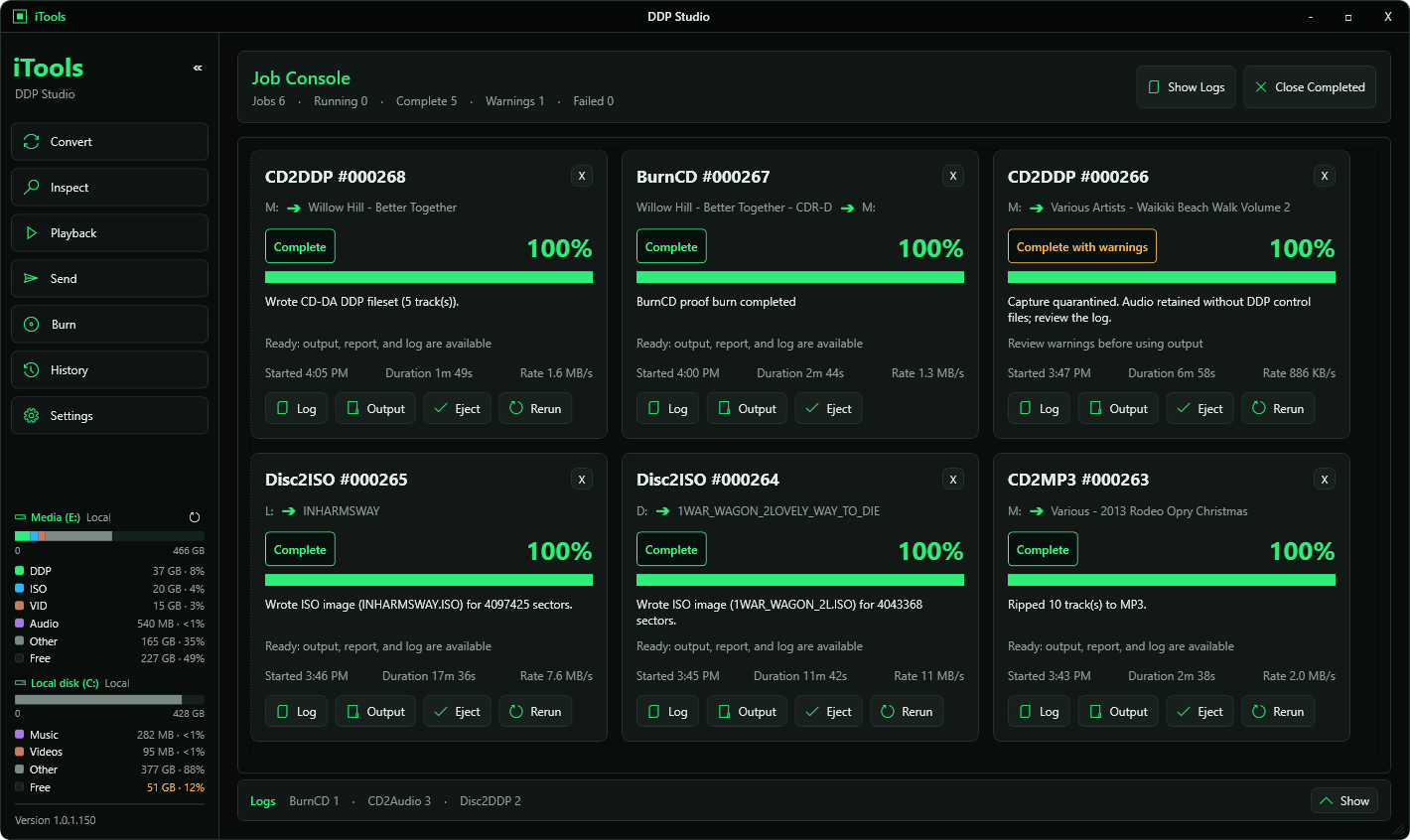
  • Job console with per-job logs, progress, and output access

† CSS-protected DVD-Video capture is licensed for content owners verifying their own protected titles — not general-purpose disc ripping.

For artists & mastering clients

iTools DDP Audio Player

A standalone player so a client can listen to and proof a master before it presses — no iTools install required.

  • True gapless playback across the whole album, not just per track
  • CD-TEXT, artist and engineer metadata views, VU meters, A-B loop
  • Timestamped review notes, exportable as a plain-text report
  • Opens passphrase-encrypted Send packages — decryption handled automatically
  • Audio export & disc burning — only when enabled by the sending engineer

What DDP Studio handles

CONVERT

ISO ↔ DDP

ISO images to DDP 2.00 (CD, DVD-5, DVD-9) and back — bit-exact, round-trip verified against golden filesets.

CAPTURE

Disc to DDP

CD-ROM and DVD-ROM capture straight to DDP or ISO, including CSS-protected DVD-Video with on-the-fly descrambling — licensed for content owners verifying their own protected titles.

AUDIO

CD-Audio Rip

CD-DA to WAV, FLAC, or MP3 with AccurateRip verification, CD-TEXT/CDDB naming, and Verified CD-Audio DDP output.

PLAYBACK

Proof & Review

Open a DDP fileset directly for review — DVD-ROM DDP mounts like a disc, CD-Audio DDP plays gapless in the Audio Player.

SEND

Encrypted Package Delivery

Package a CD-Audio DDP for delivery with optional passphrase encryption. DDP Audio Player handles playback, proofing, and decryption on the client's end — audio export and disc burning unlock only if the sending engineer enables them. Ships as a standard file — send it through WeTransfer, Dropbox, OneDrive, or any file-share service you already use.

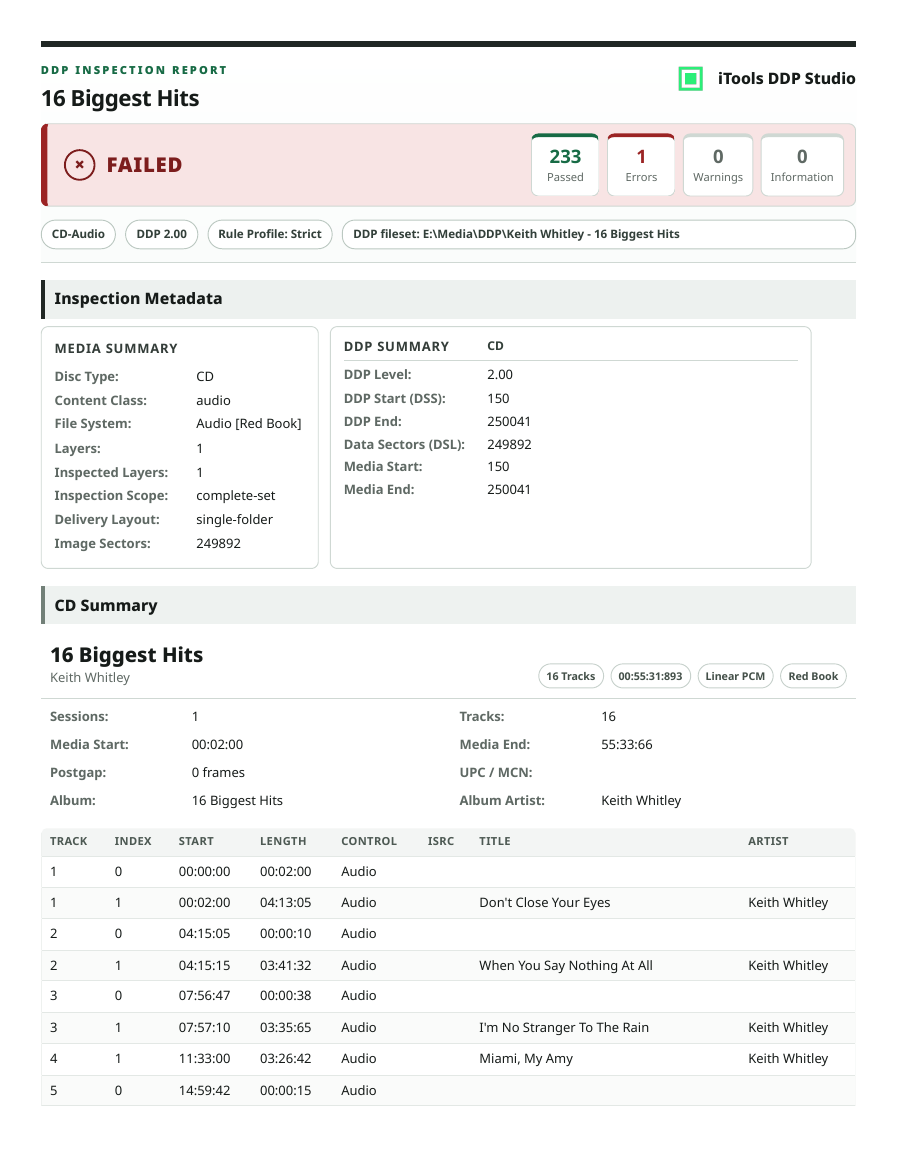
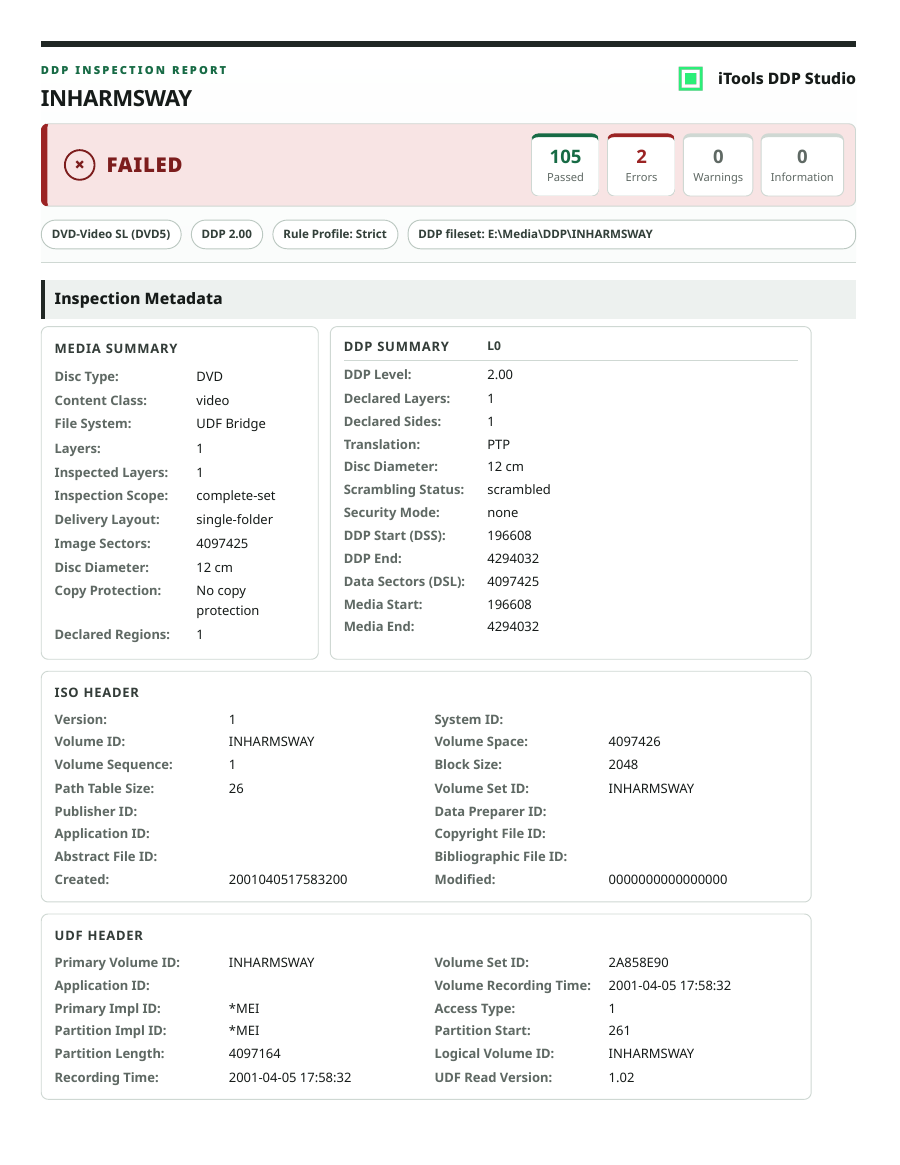
INSPECT — IN PROGRESS

Rule-Based Checks

Rule-based checking of DDP source files — surfacing structural and metadata issues before a fileset ever reaches the plant.

The plant gets what you approved. Byte for byte.
Status
In active development — Studio, Player, and Send workflows feature-complete, Inspect in progress
Want early access or a demo?
info@voyagersolutions.net